

MCP:Meme创作平台
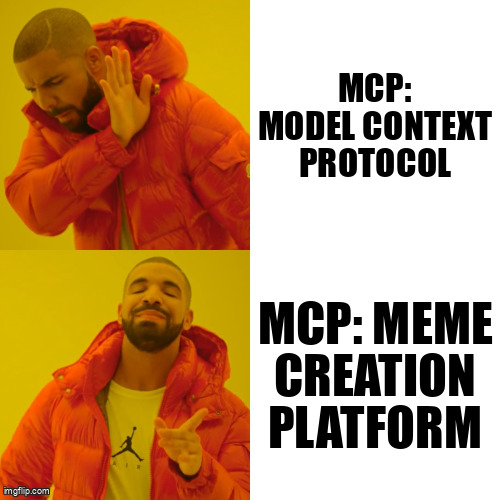
用于Claude和其他AI助手的Meme创建协议服务器。发布于2025年4月1日,因为。..表情包。
什么是MCP?
MCP为人工智能模型提供了使用Imgflip API创建和共享模因的能力。 它实现了模型控制协议(MCP),允许与Claude和其他AI助手无缝集成。
特性
- 🚀 根据描述创建模因,人工智能选择自己的模因
- 🎯 根据描述为特定模板创建模因
- 🌟 从流行的模因创建模因(适用于非高级API访问帐户)
安装
# Ensure you have uv installed (https://docs.astral.sh/uv/getting-started/installation/)
git clone https://github.com/redblock-ai/imgflip-mcp.git
cd imgflip-mcp
uv sync --dev --all-extras
uv run imgflip-mcp # Just to test. NOT needed for the rest of instructions here... it will be set by claude computer.
Imgflip API证书
# Create a `.env` file in the root directory of the project and add your Imgflip API credentials:
IMGFLIP_USERNAME="YOUR_IMGFLIP_USERNAME"
IMGFLIP_PASSWORD="YOUR_IMGFLIP_PASSWORD"
与Claude Desktop集成
在MacOS上: ~/Library/Application\ Support/Claude/claude_desktop_config.json
在Windows上: %APPDATA%/Claude/claude_desktop_config.json
Get environment details to update the claude_desktop_config file
- 要检索环境详细信息,请执行以下操作:
1. 在终端中运行以下命令:
     npx @modelcontextprotocol/inspector uv --directory
 run imgflip-mcp
1. 在本地主机上打开MCP检查器。
1. 单击连接。
1. 从终端复制输出环境密钥。
如果需要,您可以通过npm安装和使用MCP检查器。
Development/Unpublished Servers Configuration
"mcpServers": {
  "imgflip-mcp": {
    "command": "uv",
    "args": [
      "--directory",
      "
",
      "run",
      "imgflip-mcp"
    ]
  }
}
Development/Unpublished Servers Configuration if MCP server is hosted in WSL
"mcpServers": {
  "imgflip-mcp": {
    "command": "wsl.exe",
      "args": [
          "bash",
          "-c",
          "PATH_TO_UV_BIN --directory
 run imgflip-mcp"
      ],
  }
}
Published Servers Configuration
"mcpServers": {
  "imgflip-mcp": {
    "command": "uvx",
    "args": [
      "imgflip-mcp"
    ]
  }
}
与Claude一起使用MCP
配置后,您可以要求Claude创建meme:
Create a meme using the "Drake" template with "Writing code" and "Making memes" as text.或
Make a meme about debugging code for hours only to find a simple typo.可用工具
| 工具 | 说明 |
|---|---|
imgflip_search_memes | 搜索模因模板 |
imgflip_get_template_info | 获取模板详细信息 |
imgflip_create_meme | 使用自定义文本创建模因 |
imgflip_generate_search_terms | 为概念生成搜索词 |
imgflip_create_from_concept | 从一个概念创造一个模因 |
发展
建筑与出版
准备分发包裹:
- 同步依赖关系并更新锁文件:
uv sync- 构建包分发:
uv build这将在 dist/ 目录。
- 发布到PyPI:
uv publish注意:您需要通过环境变量或命令标志设置PyPI凭据:
- 令牌:
--token或UV_PUBLISH_TOKEN - 或用户名/密码:
--username/UV_PUBLISH_USERNAME和--password/UV_PUBLISH_PASSWORD
调试
由于MCP服务器在stdio上运行,调试可能具有挑战性。为了达到最佳调试效果 经验,我们强烈建议使用 MCP检查员.
您可以通过以下方式启动MCP检查器 使用此命令:
npx @modelcontextprotocol/inspector uv --directory
 run imgflip-mcp
启动后,检查器将显示一个URL,您可以在浏览器中访问该URL以开始调试。
许可证
MIT许可证
致谢
- 所有为网络文化做出贡献的模因创作者
- Imgflip API
- 模型控制协议
______________________________________________________________________
内置于❤️ 和😂\ 2025年4月1日发布